Trusted by Growing Warehouses and Fulfillment Teams

50+
Courier integrations
70+
Ecommerce integrations
200+
Active 3PL & fulfillment clients
100+
Retail businesses supported

When Do You Need a Warehouse Management System?

Many warehouses start with spreadsheets or basic inventory tools. As order volume, SKUs, or locations increase, these systems become difficult to manage and lead to errors.

  • Inventory discrepancies across locations become frequent
  • Orders are delayed due to manual tracking or coordination
  • Picking and packing errors increase as volume grows
  • Managing stock across multiple warehouses becomes difficult
  • You lack real-time visibility into inventory and order status

A warehouse management system helps structure these operations and reduces errors as complexity increases.

What This Warehouse Management System Actually Handles

These are the core functions used daily inside a warehouse, not just feature checklists.

Inventory Management

Inventory Management

Track inventory across bins, locations, and warehouses with real-time updates.

  • Monitor stock levels as items move through the warehouse
  • Support batch or lot tracking where required
  • Maintain accurate inventory across multiple storage locations
Order Fulfillment

Order Fulfillment

Manage the full order process from picking to shipping with structured workflows.

  • Assign picking tasks and validate items using barcode scans
  • Support batch and wave picking for higher volumes
  • Reduce errors during packing and dispatch
Warehouse Operations

Warehouse Operations

Control how inventory is received, stored, and moved inside the warehouse.

  • Manage receiving, putaway, and internal transfers
  • Set rules for storage locations and replenishment
  • Track movement of goods between zones and locations
Reporting and System Connectivity

Reporting and System Connectivity

Keep track of warehouse activity and connect with other systems.

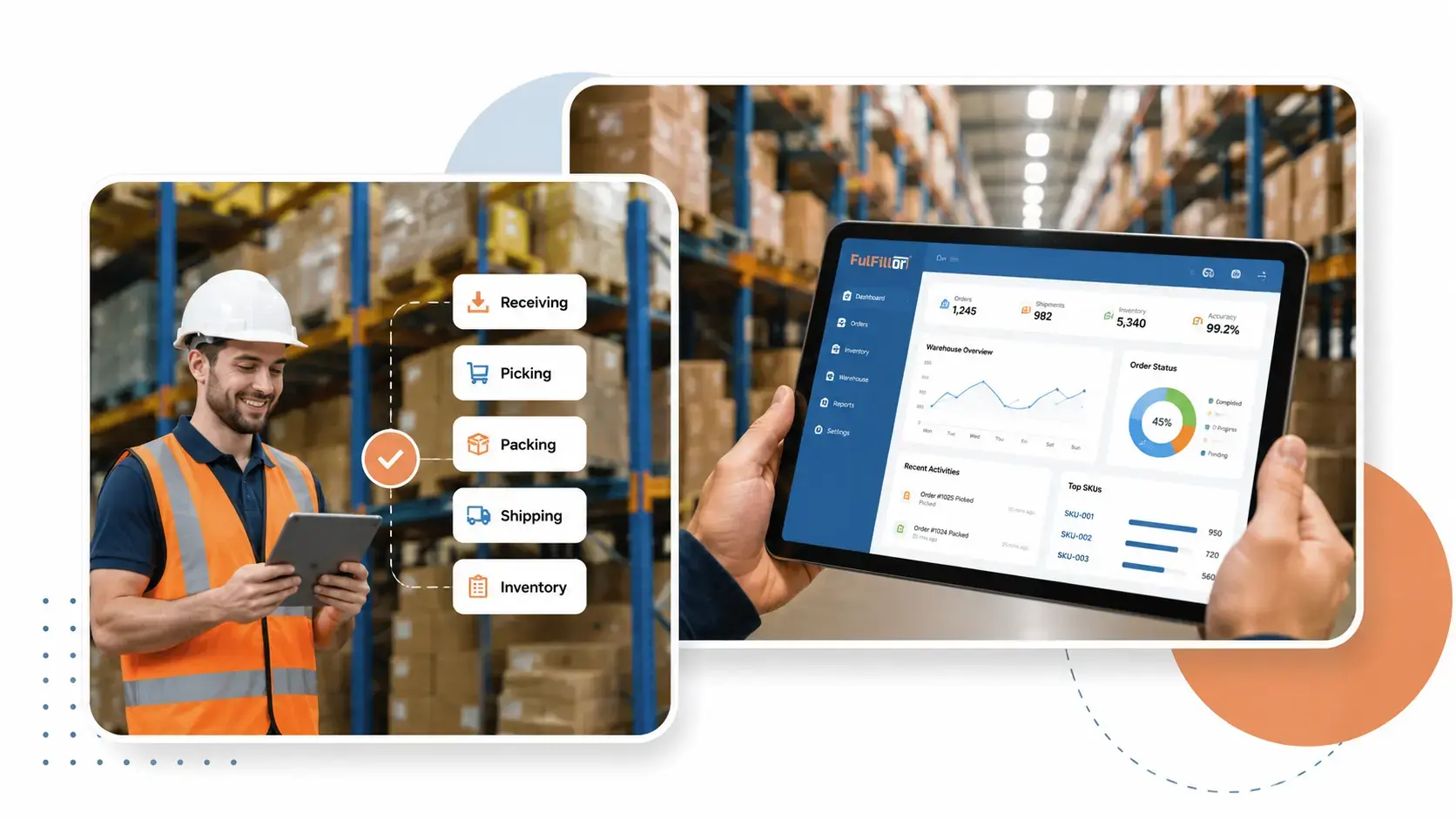
  • View real-time dashboards for inventory and order status
  • Generate reports based on operational data
  • Integrate with ecommerce platforms, ERP systems, and carriers

How This WMS Fits Into Daily Warehouse Workflows

Built for Complex Warehouse Operations

Accurate Inventory Across Locations: Avoid stock mismatches and manual reconciliation with real-time inventory tracking across warehouses.

Better Use of Space and Labor: Optimize storage, picking paths, and resource allocation to improve throughput without increasing overhead.

Lower Costs Through Automation: Reduce manual errors and repetitive tasks with automated workflows that improve efficiency and control.

Clear Visibility and Compliance: Maintain audit-ready records and gain full visibility into inventory, orders, and warehouse activity.

Fulfillor WMS

Reduce Manual Errors and Delays in Warehouse Operations

Eliminate repetitive tasks, reduce errors, and keep operations moving with automated workflows for inventory, order processing, and exception handling.

Multi Location Warehouse Management

Track Inventory Across Multiple Warehouses in Real Time

Centralized Control Across Locations: Track inventory and orders across warehouses from one system, without losing visibility or coordination.

Flexible Location Setup and Barcode Tracking: Define warehouse layouts, manage bins and pallets, and use barcode labeling to improve picking accuracy and traceability.

Update Inventory Automatically During Warehouse Operations

FIFO and Expiry-Based Inventory Control: Ensure older stock is picked first to reduce spoilage, write-offs, and compliance risks.

Batch, Lot, and Serial Tracking: Maintain full traceability from inbound to outbound, essential for regulated and high-value inventory.

Audit Trails and Inventory History: Track every inventory movement with detailed logs to support compliance and operational decisions.

Warehouse Inventory Management
Advanced Warehouse Management

Set Rules for Storage, Movement, and Order Processing

Quality Control for Inbound and Outbound Operations: Catch errors early with configurable checks during receiving and dispatch to prevent downstream issues.

Flexible Inventory Handling Across Units and Dimensions: Manage inventory using multiple units of measure to support accurate storage, picking, and fulfillment.

Custom Workflows for Warehouse Operations: Configure workflows for receiving, put-away, and replenishment to maintain consistency as operations scale.

Learn More About Warehouse Operations

Explore practical guides on improving inventory accuracy, reducing picking errors, and optimizing warehouse workflows.

Read All Blogs
Best Warehouse Management System & 3PL WMS Software in the USA

Choosing the best Warehouse Management System (WMS) in the U...

Read more
How WMS Software Optimizes Warehouse Operations for 3PLs and eCommerce in the U.S.

Warehouse operations in the United States are under constant...

Read more
Warehouse Management Software ROI in 2026: A Practical WMS Guide

Try running a warehouse today without real-time visibility, ...

Read more

See How This WMS Works in Your Warehouse Setup

Get a personalized demo of Fulfillor’s cloud WMS to optimize inventory and orders.

Frequently Asked Questions About Warehouse Management Systems

A WMS updates inventory in real time as items are received, moved, picked, and shipped. This reduces manual entry and helps prevent mismatches between physical stock and system records.

Yes. A WMS can track inventory across multiple warehouses and locations, giving visibility into stock levels and movements without manual reconciliation.

It structures workflows such as receiving, putaway, picking, packing, and shipping. Tasks are assigned and tracked within the system, reducing delays and coordination issues.

Implementation time depends on warehouse size, number of SKUs, and system integrations. Most setups involve configuration, integration, and team onboarding before going live.

Yes. Most WMS platforms connect with ecommerce platforms, ERP systems, and shipping carriers to sync orders, inventory, and fulfillment data.

A WMS tracks inventory levels, stock movement, order status, and warehouse activity in real time. This helps improve visibility and decision-making.

Yes. A WMS becomes more useful as operations scale, especially when managing larger inventories, higher order volumes, or multiple locations.