
WMS integrations connect warehouse management software with the systems used to manage orders, inventory, shipping, accounting, marketplaces, ecommerce platforms, and fulfillment workflows.
For 3PL warehouses, these connections are critical because one warehouse may handle multiple clients, sales channels, carrier accounts, billing rules, and reporting needs at the same time.
Without connected systems, teams often deal with duplicate data entry, delayed inventory updates, manual shipping steps, missed tracking updates, and limited fulfillment visibility. These issues can lead to overselling, picking errors, late shipments, billing delays, and poor customer experience.
This guide explains the main types of WMS integrations, how they work, and when they matter most for 3PL warehouses, ecommerce fulfillment teams, and growing logistics operations.
What Are WMS Integrations?
WMS integrations exchange data between a warehouse management system and connected business systems, such as ecommerce platforms, marketplaces, ERPs, accounting tools, and shipping carriers.
Each connection has a defined scope: which records move, in which direction, how frequently, and what happens when an update fails. These details determine how reliably the integration supports warehouse operations.
What Data Can Sync Through WMS Integrations?
The data that syncs depends on the connected platform, carrier, ERP, or accounting system. In most warehouse and 3PL workflows, WMS integrations can help exchange data such as:
- order details
- customer and shipping information
- SKU and product data
- inventory levels
- receiving and stock movement records
- picking, packing, and fulfillment status
- shipping labels and tracking numbers
- carrier service details
- billing-related warehouse activity
- purchase orders, invoices, or EDI documents where supported
This helps warehouse teams reduce manual updates and keep order, inventory, shipping, and reporting data more consistent across systems.
Why WMS Integrations Matter for Warehouses and 3PLs

Below are the key benefits of WMS integrations for warehouses and 3PL operations:
-
End-to-End Visibility: Track inventory, orders, shipments, and fulfillment status across multiple channels from one connected system. This helps managers see where delays, stock issues, or fulfillment bottlenecks are happening.
-
Improved Order Accuracy: Reduce picking, packing, and shipping mistakes by syncing order data automatically between ecommerce platforms, marketplaces, and the WMS.
-
Real-Time Inventory Sync: Keep stock levels updated across sales channels to reduce overselling, stockouts, and inventory mismatches.
-
Scalable Warehouse Operations: Support business growth, seasonal order surges, and multi-client fulfillment without relying on manual data entry.
-
Lower Operational Costs: Reduce repetitive admin work, manual reconciliation, and avoidable fulfillment errors that increase labor and correction costs.
-
Better Customer Experience: Process orders faster, update tracking information accurately, and reduce delivery issues that affect customer satisfaction.
-
Stronger System Connectivity: Help warehouse software, ERP systems, accounting tools, shipping carriers, and ecommerce platforms exchange data more smoothly.
Top WMS Integration Types for 3PL Warehouses
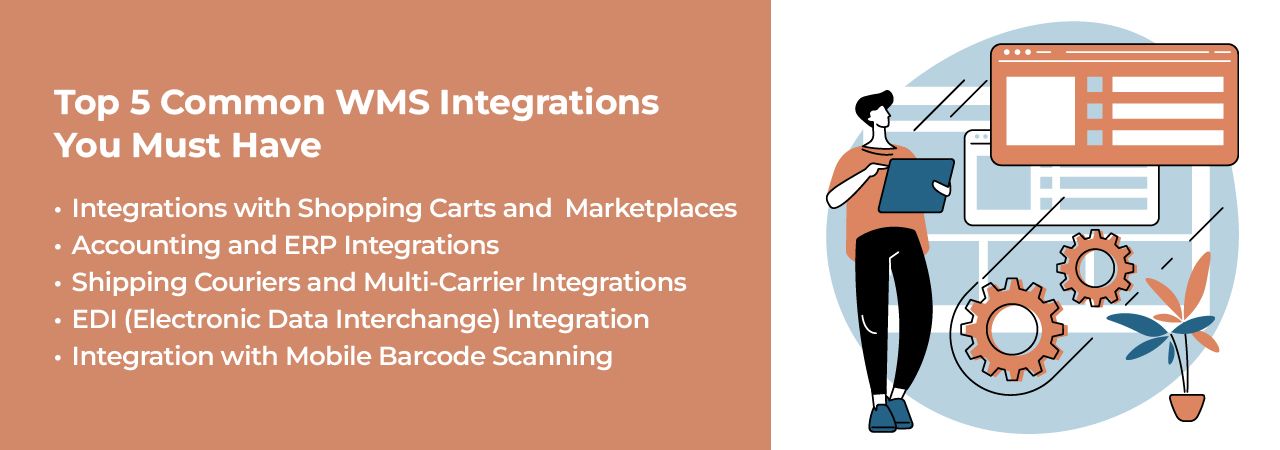
| Integration Type | What It Connects | Main Use Case |
|---|---|---|
| Shopping Cart Integrations | Shopify, WooCommerce, BigCommerce, Salla | Import ecommerce orders and sync inventory updates between the storefront and WMS. |
| Marketplace Integrations | Amazon, eBay, Walmart | Manage marketplace orders, stock updates, shipping status, and tracking information. |
| Shipping Carrier Integrations | UPS, USPS, FedEx, DHL | Create shipping labels, manage shipment status, and update tracking details. |
| ERP and Accounting Integrations | QuickBooks, NetSuite, custom ERP systems | Sync billing, inventory, shipment activity, and financial data across business systems. |
| EDI Integrations | Retailers, wholesalers, suppliers, B2B trading partners | Exchange purchase orders, invoices, advance shipping notices, and other structured documents. |
| Barcode Scanning Integrations | Mobile scanners, handheld devices, warehouse floor workflows | Update receiving, putaway, picking, packing, cycle counts, and inventory activity in real time. |
1. Shopping Cart Integrations
Pain Point: Managing ecommerce orders manually from different shopping carts can slow down fulfillment, create inventory mismatches, and increase the risk of order entry errors. If orders from Shopify, WooCommerce, BigCommerce, or Salla are not connected to the WMS, warehouse teams may have to import sales orders manually, update stock levels late, or check multiple dashboards before fulfillment can begin.
Solution: Shopping cart integrations connect ecommerce storefronts directly with the WMS so orders can be imported automatically, inventory can stay updated, and tracking details can flow back to the sales channel after shipment.
For 3PL warehouses, this is especially useful when each client uses a different ecommerce platform. A connected WMS can support workflows such as Shopify WMS integration, WooCommerce WMS integration, BigCommerce integration, and Salla integration from one warehouse system.
2. Marketplace Integrations
Pain Point: Marketplaces often have strict fulfillment requirements, fast delivery expectations, and channel-specific order rules. When marketplace orders are handled manually, 3PL teams may face delayed order processing, inaccurate stock updates, missed tracking uploads, and overselling across channels.
Solution: Marketplace integrations help sync orders, inventory, shipping status, and tracking information between the WMS and online marketplaces. This helps 3PL warehouses manage marketplace fulfillment without switching between multiple seller portals.
Common examples include Amazon integration, eBay integration, and Walmart integration. These integrations are useful for ecommerce sellers and 3PL providers that manage multi-channel order fulfillment across several marketplaces.
3. Accounting and ERP Integrations
Pain Point: Disconnected warehouse, accounting, and ERP systems can create problems with billing, inventory valuation, reconciliation, and financial reporting. If warehouse transactions are not synced with finance tools, teams may spend hours comparing shipment records, stock movements, invoices, and client billing data manually.
Solution: Accounting and ERP integrations connect the WMS with finance and business management systems so inventory transactions, shipment activity, and billing-related data can stay more consistent across departments.
A WMS can connect with accounting software, ERP platforms, or custom business systems to reduce duplicate data entry, improve reporting accuracy, and support better financial visibility. For 3PL warehouses, this is important because client billing may depend on storage fees, receiving activity, pick and pack services, shipping charges, and other fulfillment events.
4. Shipping Carrier and Multi-Carrier Integrations
Pain Point: Manually comparing rates, creating labels, and updating tracking information across different carrier systems can slow down fulfillment and increase shipping errors. For 3PLs, this becomes even harder when different clients use different carrier accounts, service levels, or delivery rules.
Solution: Shipping carrier integrations connect the WMS with courier and multi-carrier systems so warehouse teams can generate labels, compare shipping options, update tracking details, and manage shipment status from one workflow.
A modern WMS should support carrier connections such as DHL integration, UPS integration, FedEx integration, and USPS integration. These integrations help improve fulfillment speed, reduce manual shipping work, and give customers better delivery visibility.
5. EDI Integration
Pain Point: Many retailers, wholesalers, and B2B trading partners require EDI compliance for exchanging purchase orders, invoices, advance shipping notices, and other business documents. Without EDI integration, teams may need to process documents manually, which can lead to delays, data entry mistakes, failed transactions, and compliance issues.
Solution: EDI integration allows the WMS to exchange structured business documents automatically with retail partners, suppliers, or enterprise customers. When a purchase order is received, the WMS can help trigger order allocation, fulfillment workflows, shipment updates, and required document exchange.
For 3PL warehouses that serve B2B clients, EDI integration can reduce manual document handling, improve trading partner compliance, and support more reliable retail fulfillment workflows.
6. Mobile Barcode Scanning Integration
Pain Point: Manual SKU entry during receiving, picking, packing, and shipping can lead to mis-picks, lost inventory, inaccurate counts, and slower warehouse operations. These errors become more costly when a 3PL manages inventory for multiple clients in the same warehouse.
Solution: Mobile barcode scanning connects warehouse floor activity directly with the WMS. Staff can scan items during receiving, putaway, picking, packing, cycle counts, and shipping so inventory records update in real time.
This improves inventory accuracy, reduces picking errors, speeds up order processing, and helps warehouse teams keep system records aligned with actual stock on the floor.
What to Check Before Choosing a WMS Integration
A platform appearing on an integration list does not explain everything the connection supports. Ask the vendor to demonstrate your required workflows and confirm:
- Which records sync and in which direction
- How frequently updates run
- How client accounts, SKUs, and warehouse locations are mapped
- How failed updates are flagged, retried, and reconciled
- How duplicate orders and repeated updates are handled
- Whether cancellations, partial shipments, and returns are supported
- Who maintains the connection and whether additional fees apply
For a multi-client 3PL, test that each connection uses the correct client inventory, credentials, carrier accounts, and billing rules.
How Fulfillor Supports Connected 3PL WMS Workflows
A connected 3PL WMS helps warehouses manage ecommerce platforms, marketplaces, shipping carriers, accounting tools, ERP systems, and warehouse workflows from one centralized system.
Implementing WMS integrations is easier when the warehouse management system is built for multi-client, multi-channel, and carrier-connected fulfillment. Fulfillor’s cloud-based 3PL WMS helps warehouses manage orders, inventory, shipping, client visibility, and integration workflows without relying on disconnected tools or manual data entry.
The platform supports 150+ integrations, including:
- Ecommerce platforms and shopping carts such as Shopify, WooCommerce, BigCommerce, and Salla
- Marketplaces such as Amazon, eBay, and Walmart
- Accounting and ERP tools, including systems such as QuickBooks, NetSuite, and custom ERP platforms
- Shipping carriers such as USPS, DHL, FedEx, and UPS
- Barcode scanning and mobile warehouse workflows
- EDI workflows for retail, wholesale, and B2B fulfillment requirements
For 3PL warehouses, these integrations help centralize order flow, inventory sync, shipping updates, client reporting, and fulfillment activity across multiple clients and sales channels.
If a business needs a custom connection, the right WMS integration setup can help different systems exchange data more reliably. This reduces duplicate work, improves operational visibility, and supports a more connected logistics software stack.
Conclusion: Build a More Connected Warehouse with WMS Integrations
Choose WMS integrations based on the workflows your warehouse needs to run. Confirm the supported data, update timing, exception handling, and client-level controls before implementation.
Explore Fulfillor’s integrations or schedule a demo to discuss your required connections.