
Trusted by 3PLs automating client billing and invoicing
3PL Billing Software for Multi-Client Warehouses
Track receiving, storage, pick and pack, returns, kitting, special handling, and custom client charges in one WMS. Fulfillor connects warehouse activity with client invoicing so teams can reduce spreadsheet work, billing errors, and missed charges.
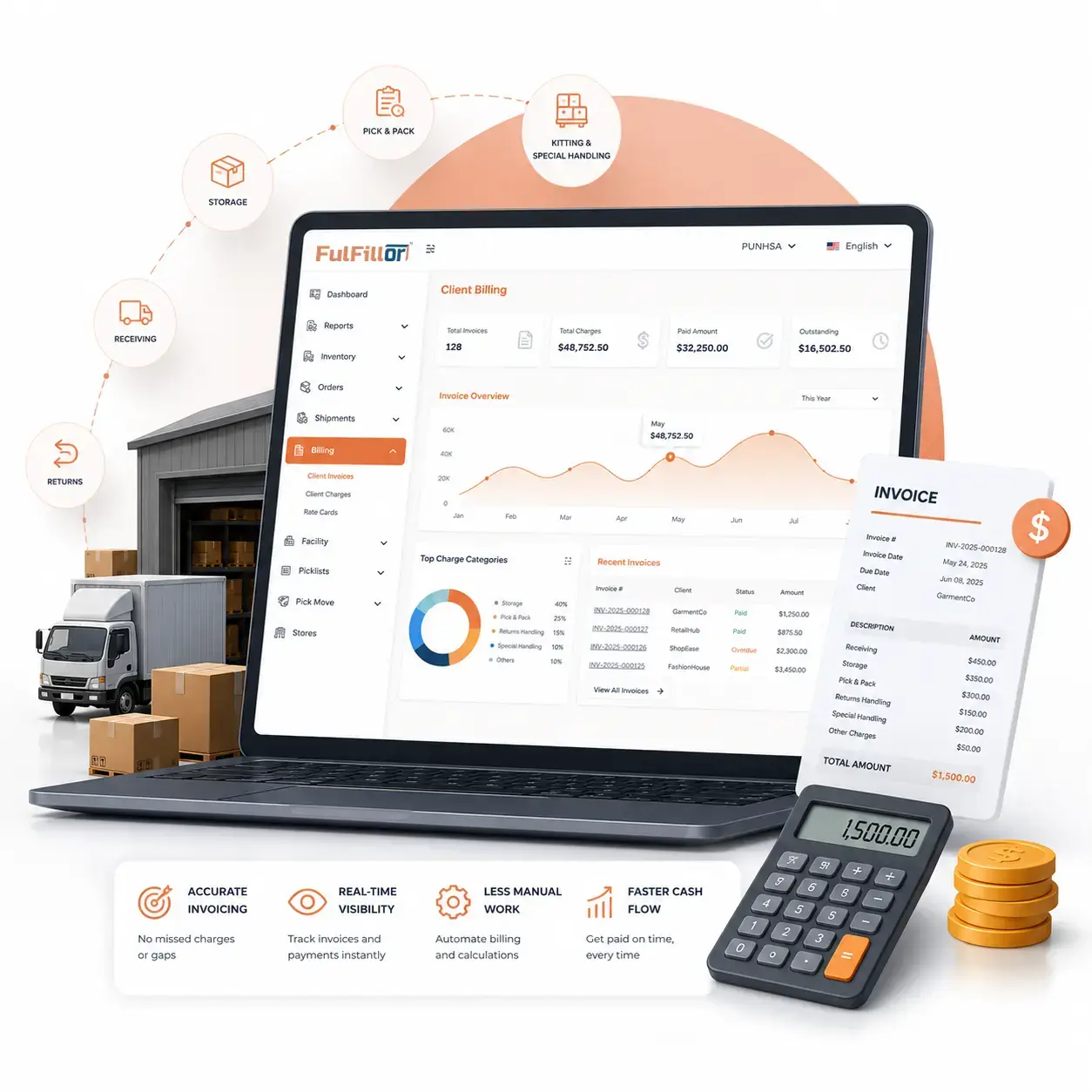
Why 3PL Billing Gets Complicated Fast
3PL billing gets complex when clients have different rate cards, storage rules, receiving fees, pick and pack charges, return handling costs, and custom service agreements.
Separate warehouse and billing systems lead to spreadsheets, missed charges, slower invoicing, and more client billing questions.
The more client-specific the billing model becomes, the harder it is to manage charges accurately with spreadsheets alone.
If your team is still rebuilding invoices from spreadsheets, understanding how billing rules, warehouse activity, and client invoices can work together makes the transition much easier.
Common 3PL Billing Charges You Can Track
Different clients often need different billing models. This table shows common 3PL charges that can be connected to warehouse activity.
| Charge Type | Common 3PL Billing Examples |
|---|---|
Receiving | Per pallet, carton, unit, container, ASN, or receiving task |
Storage | Per pallet, bin, carton, SKU, storage volume, or billing period |
Pick and pack | Per order, line item, unit, package, or fulfillment task |
Returns | Per return, inspection, restocking, disposal, relabeling, or repacking |
Kitting | Per kit, bundle, insert, labeling task, assembly task, or subscription box |
Special handling | Fragile items, oversized products, custom packaging, or manual handling |
Minimum fees | Monthly minimums, base fees, or client-specific service minimums |
One-time charges | Setup fees, project work, inventory cleanup, or special requests |
These charges can be configured by client, rate type, warehouse activity, or service rule.
Turn Warehouse Activity Into Client Billing
Connect billable activities such as receiving, storage, pick and pack, returns, kitting, and special handling to the correct client, billing period, service type, and rate rule.
Receiving
Capture inbound work including units, cartons, pallets, or containers.
Storage
Apply storage rates by location, pallet, bin, carton, or time period.
Pick and pack
Track order labor, units picked, packages, and fulfillment activity.
Returns
Capture inspection, restock, relabel, or return handling fees.
Kitting
Bill for bundles, labels, inserts, assembly work, or subscription boxes.
Special handling
Track custom packaging, fragile items, oversized products, or manual work.
Custom Billing Rules by Client
No two 3PL clients bill the same way. One client may pay per pallet stored, another by order volume, and another through a monthly minimum plus activity-based charges.
Client-specific rate cards help teams manage billing cycles, recurring fees, minimum charges, and custom service pricing without maintaining separate spreadsheets for every account. Rate cards are typically configured as part of 3PL client onboarding, before the first order ships.
This keeps each client's billing logic organized as services, contracts, and warehouse volume grow.
Northbeam Apparel
Sample rate card, effective May 2026
Receiving
Per carton
$1.50 / carton
Storage
Per pallet, monthly
$15.00 / pallet
Pick and pack
Per order
$1.65 / order
Returns
Inspect and restock
$3.00 / return
Kitting
Per bundle
$0.85 / kit
Monthly minimum
Base account fee
$750.00 / mo
Review Billing Charges Before Sending Client Invoices
Review billing periods, client activity, recurring charges, minimum fees, exceptions, and adjustments before invoicing.
Key billing details to review
- The billing period
- The active client rate card
- Receiving activity
- Storage calculations
- Pick and pack totals
- Return processing charges
- Kitting and value-added service charges
- One-time or custom fees
- Minimum charges
- Unusual billing exceptions
This review keeps finance and operations aligned before invoicing. The 3PL client portal gives clients visibility into their activity and charges.
Finance-Ready Billing Reports
After billing activity is checked, invoice-ready billing reports can be organized by client, date range, service type, and billing category. Operations can confirm completed work, while finance gets cleaner data for invoice preparation.
Once charges are reviewed, billing data can be prepared for finance or accounting software workflows, helping teams reduce spreadsheet cleanup before client invoices are created.
Useful billing views can include client billing summaries, charge breakdowns by service, storage and fulfillment totals, return processing charges, billing exceptions, and export-ready invoice data.
- Client billing summaries
- Charge breakdowns by service
- Storage and fulfillment totals
- Return processing charges
- Billing exceptions
- Export-ready invoice data
3PL Billing Software for Rates, Storage, and Fulfillment Fees
Multi-client 3PL warehouses need billing workflows that stay connected to client accounts, warehouse locations, inventory activity, orders, rate cards, and billing periods without creating extra manual work.
With Fulfillor, billing can stay connected to:
Client accounts
Warehouse locations
Inventory and orders
Rate cards and billing periods
This gives growing 3PL teams a more organized way to manage billing as new clients, services, and warehouse locations are added.
See how a 3PL management system connects inventory, order workflows, and billing across multi-client warehouse operations.
Why 3PL Billing Software Should Connect With Your WMS
WMS-based billing helps teams capture more billable work, reduce manual invoice preparation, and improve billing accuracy.
Warehouse billing gets harder when operational activity and invoicing are managed separately. Receiving, storage, picking, packing, returns, and special handling all create billable charges that can be missed with manual processes.
Connecting billing rules to WMS workflows turns warehouse activity into billable events, helping 3PL teams reduce missed fees, invoice disputes, and manual finance work.
Missed storage fees, handling work, and inventory activity can quietly reduce margins. Learn how billing and inventory automation for 3PLs can help protect revenue.
Billing Automation Questions for 3PL Providers
Included across all plans
Eight capabilities, in every plan
- Order management
- Inventory management
- Warehouse management
- Shipping management
- Client portal
- Client billing
- Mobile appUser licenses required
- All standard integrations
Simplify 3PL Client Billing
Connect warehouse activity, client rate cards, billing reports, and invoice preparation in one WMS.